
SNCFilter
Function Description and Usage
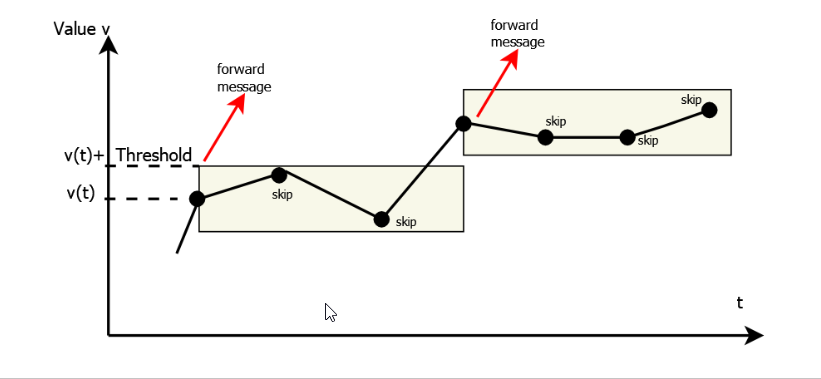
The Significant-Numeric-Change-Filter (SNCFilter) is used to reduce the data load caused by fluctuating sensor or analog values. The filter sends a message only when:
The data key of the variable to be filtered is configured under Thresholds
AND the associated value has changed by an absolute amount greater than or equal to the configured threshold compared to the last forwarded message.
When a new parameter arrives for the first time, i.e. the parameter is not yet present in the internal cache, it is added and will always be forwarded in the future.
The following parameters are relevant for the filter function:
Value: current value of the variable in the incoming message
ValueCache: last forwarded value of the variable
Threshold: configured threshold
Figure 1 illustrates the behavior of the filter.
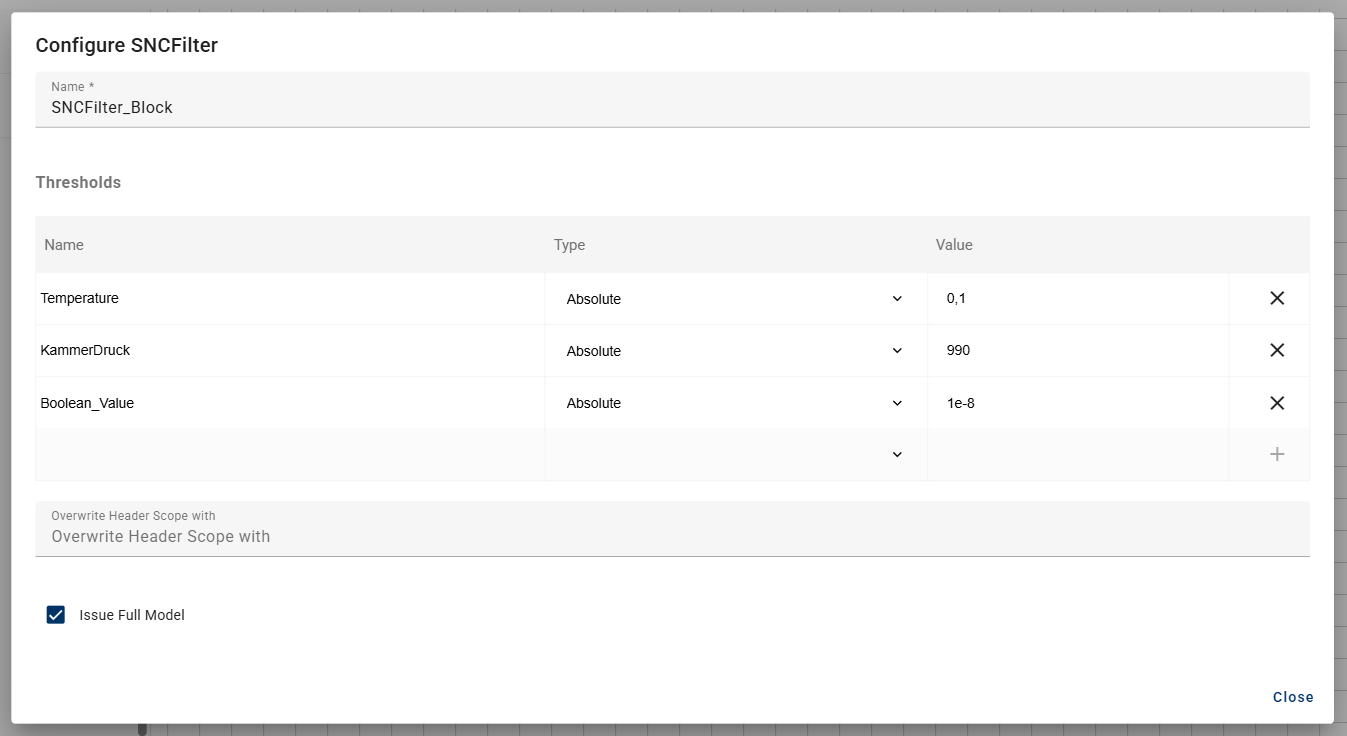
The parameters explained in the following table can be found in Figure 2.
| Parameter | Description |
|---|---|
Name | Name of the block instance. |
Into | Name of the block instance of the subsequent block to which output messages should be forwarded. |
Thresholds - Name | Name of the data key (variable) in the incoming message. Access is limited to the top-level object in the JSON. The variable must have a numeric value (integer or floating-point types). |
Thresholds - Value | double or integer; Numeric threshold (one-sided) of the variable. |
Overwrite Header Scope with | string; optional. Name for a new scope designation, to overwrite the Scope header field. The option is inactive if the string is absent or empty. |
Issue Full Model | boolean, default=true; |
Notes
A threshold value of 0 forwards every change. This is comparable to the absence of an SNC filter.
Only changed values are forwarded if they are also present in the SNC filter. Example: the group Auto contains nodes A, B, C, D. Nodes A and B are to pass through the SNC filter and only output values on larger changes. C and D also pass into the SNC filter, but are not mentioned. If a value changes in C or D, nothing happens. The entire group Auto is only forwarded if a node in the SNC filter changes (provided Issue Full Model is set to true).
If boolean values (true/false) are to be forwarded, the threshold value to be set should be 1e-8. Boolean values themselves cannot of course be "rounded". However, it can happen that within a data group both boolean values and floating-point numbers occur and all values are to be forwarded.
Example Configuration
The following figure shows an example configuration of the SNCFilter.
Configuration in JSON
{
    "SNCFilter_Block": {
        "type": "SNCFilter",
        "into": [
            "Next_Blog"
        ],
        "Thresholds": {
            "Temperature": 0.1,
            "KammerDruck": 990,
            "Boolean_Value": 1e-8
        }
    }
}