
Router
Function Description and Usage
The Router block allows incoming messages to be forwarded conditionally to specific processing blocks.
The following rules apply:
Each condition must return a boolean state.
Each condition that does not return a boolean state is automatically "false".
If all conditions of a route are met, the message is forwarded to all successor blocks connected to the block.
All configured routes are always evaluated.
If no route is satisfied, the message is forwarded to the defaultOutputTopic of the stream processor.
The following expressions are permitted in conditions:
Regular Expression
Syntax: RegEx(<value>,'<pattern>')
Single quotes (''): A static value can be entered for Value
Without single quotes (''): Value is retrieved from parameters (header & body).
All expressions that can also be used in the Expression Evaluator block
Try(expression,fallback[,ignoreOnlyParameter])
Used to catch potential errors in the expression
expression: The expression to be evaluated. For example (body_value == 123)
fallback: If the expression results in an error, use this fallback value.
ignoreOnlyParameter: optional parameter. If specified, only "Parameter Unknown" errors are handled with the fallback; everything else is logged normally. Ideal for debugging. Default value is False.
Example: (body_value < 0 ,1) where body_value = 'abc' (String). This would normally cause a format error, which is caught by the Try() function and returns the value 1 instead.
Null values: null can be used to compare against non-existent values. E.g. body_value == null.
Access to message content, such as the properties of the header and body, can be implemented via the conditions.
The conditions table has been replaced by the Condition Builder.
The Condition Builder enables configuration via the Visual Editor. The following values can be configured:
Source (header, body, context)
Property
Operator
Comparison value
The configured conditions are displayed in the Text Editor.
The following table explains the configuration parameters. The route blocks contain the routes with their conditions. If multiple conditions are specified, they are linked using AND logic. The result of a condition must always return a boolean value.
| Parameter | Description |
|---|---|
Name | Name of the block instance |
Route Name | Name of the route block. If multiple route blocks have been created, they appear as selectable tabs below the input field. |
Conditions | If all conditions of a route are met, the message is forwarded to all successor blocks connected to the block. |
Example Configuration
The step-by-step configuration of the Stream Processor with block routing is explained using the following example:
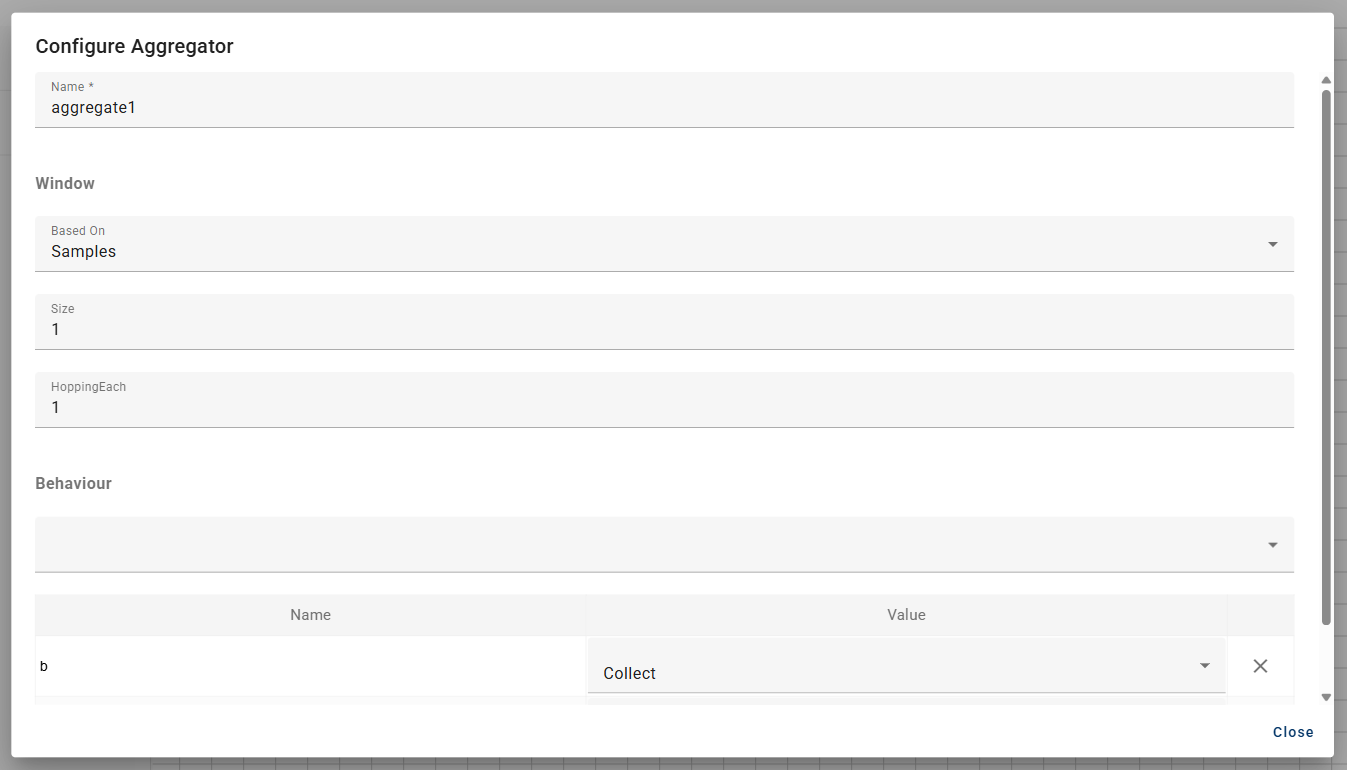
Create Aggregate blocks 1 to 3 with the same parameters (Figure 1)
Samples with Size "1" and HoppingEach "1"
Behavior: ignore default and collect for "b"
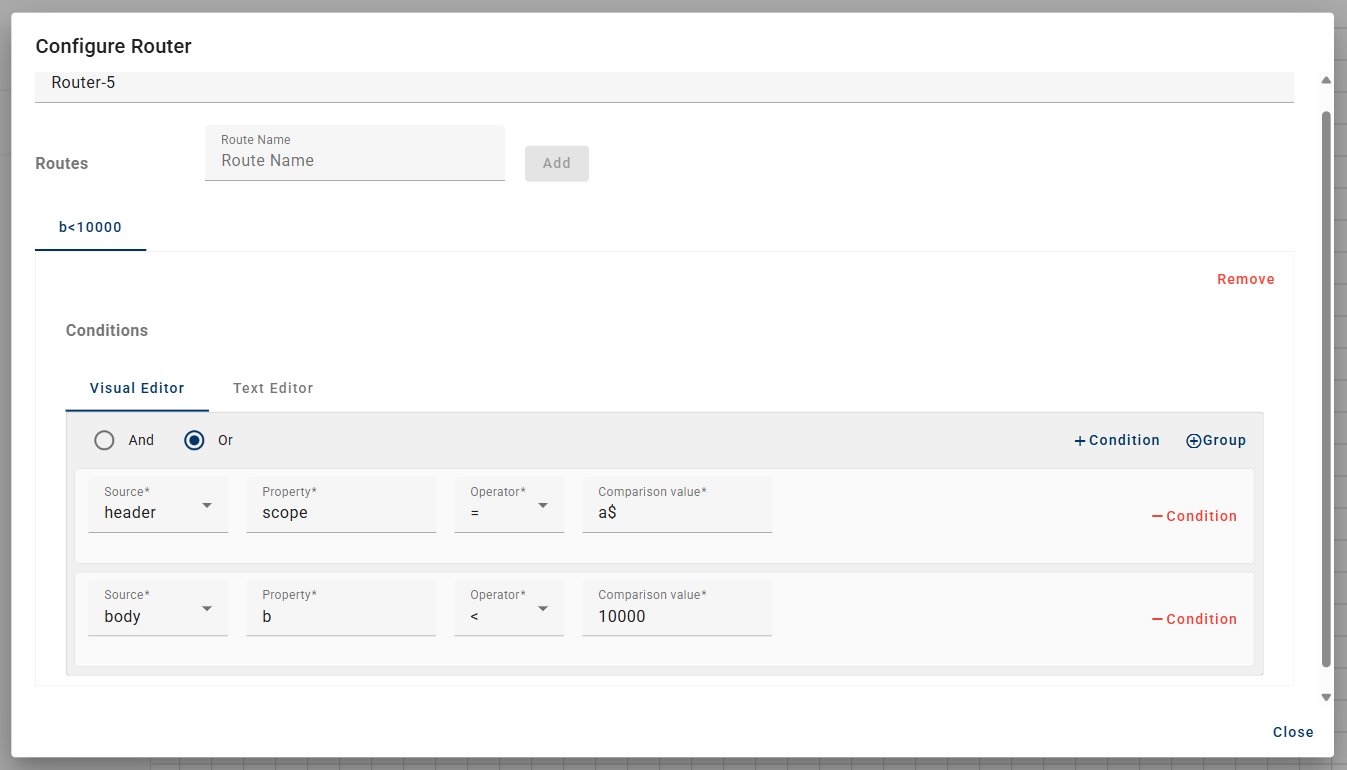
Create a new Processing Block of type Router with name "Routing" (Figure 2)
Create routes:
Route Name: b<10000
Conditions:
(header_scope == 'a$' || body_b < 10000)
Configuration in JSON
{
    "Router": {
        "type": "Router",
        "routes": {
            "intoAll": {
                "into": [
                    "Block1",
                    "Block2",
                    "Block_Dedup"
                ],
                "condition": "(true)"
            }
        }
    }
}