Join
Function Description and Usage
The Join block merges the messages of multiple channels (topics). No separate processing based on Source and Scope values takes place within the block.
| Parameter | Description |
|---|---|
Main | Primary data stream |
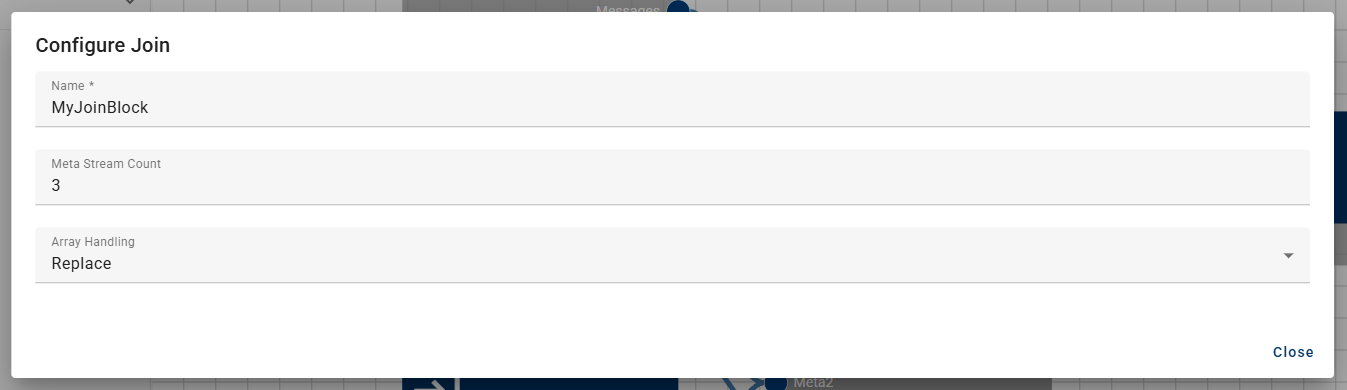
Meta | Metadata streams with configurable count. Stores the most recently received message by overwriting. Initially an empty message is stored. |
Mode | Mode selection for handling JSON arrays. Value is optional, default = "Replace". Example arrays: A_Array: [0,1,2,3], B_Array: [2,3,4]. A_Array goes into Main, B_Array goes into the first Meta input.
|
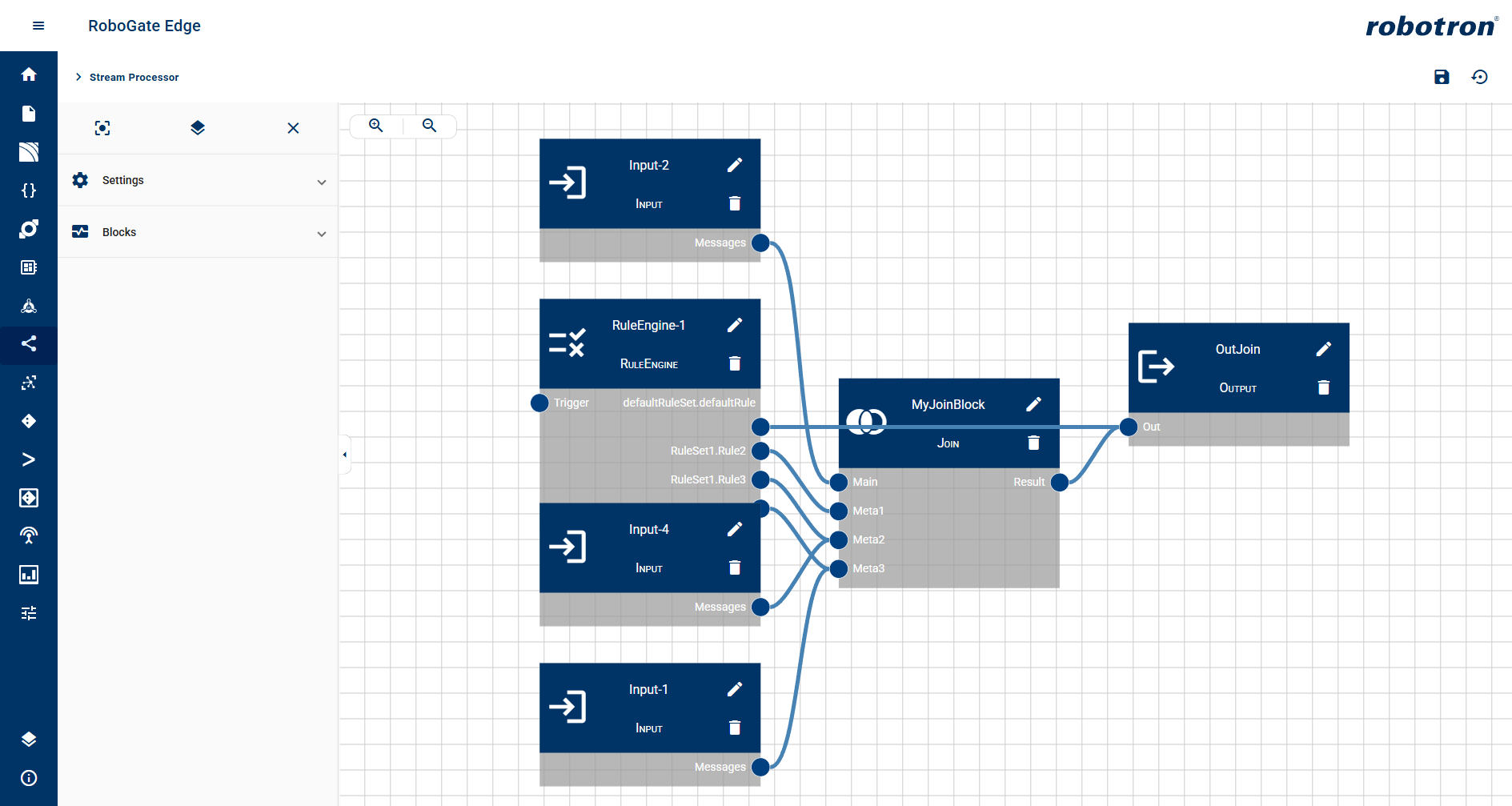
When a message arrives at the Main input, the currently stored messages of the Meta inputs are patched onto the Main message one after another. This means that messages at higher Meta inputs may overwrite values from lower Meta inputs.
A new message at a Meta input updates the currently stored message but does not trigger a new result message. The timestamp is not stored. The new message may also be empty. The timestamp from the message at the Main input is retained for the resulting message.
Example Configuration
In this example, messages are merged in the Join block via the configured topics from the Modbus and OPC modules (Input-1, Input-2, Input-4) and appended as metadata to the Main input from the RuleEngine block.