Aggregator
Function Description and Application
The Aggregator block collects incoming messages. The fields contained in messages can be handled in various ways according to the configuration. The messages are grouped and processed in optionally overlapping groups (windows) based on time or count.
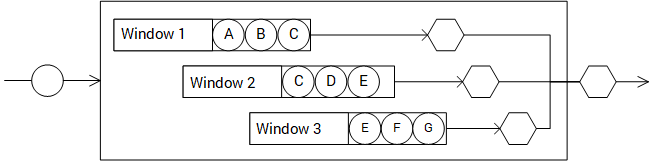
An example use case is a minimum/maximum aggregation to reduce the incoming data volume. For example, temperature data for the outside temperature arrives every second, but instead of transmitting 60 instantaneous values, only the minimum and maximum value can be transmitted for each minute.
The parameters explained in the following table are required for configuration.
| Parameter | Description |
|---|---|
Name | Name of the block instance. |
Into | Name of the block instance of the subsequent block to which output messages should be forwarded. |
Window - Based On | Selection of the window type
|
Window – Size | The window size determines the available buffer depending on the window type — sample-based (value as count) or time-based (value in milliseconds). |
Window - HoppingEach | Frequency of a calculation and output depending on the window type — sample-based (value as count) or time-based (value in milliseconds). A higher value results in less frequent execution and output than a smaller one. |
Behaviour | The processing function can be specified for each field of the incoming message. If an outgoing message does not have a timestamp (key timestamp), one will be generated using the current time. |
Default | Default value that applies to all fields that are not explicitly specified. |
Name | Field name (variable name) in the JSON of the incoming message |
Value | Function selection for the respective field. The following value types are available:
|
When the Aggregator block is used, certain properties such as "timestamp" should not be used indiscriminately with functions like "Average", as this will cause an error. A better solution is to explicitly add "timestamp" to Ignore, Last, Collect, Max, or Min. The functions Average, Stddev, Sum, and Median require that the value can be converted to a double value.
Example Configuration
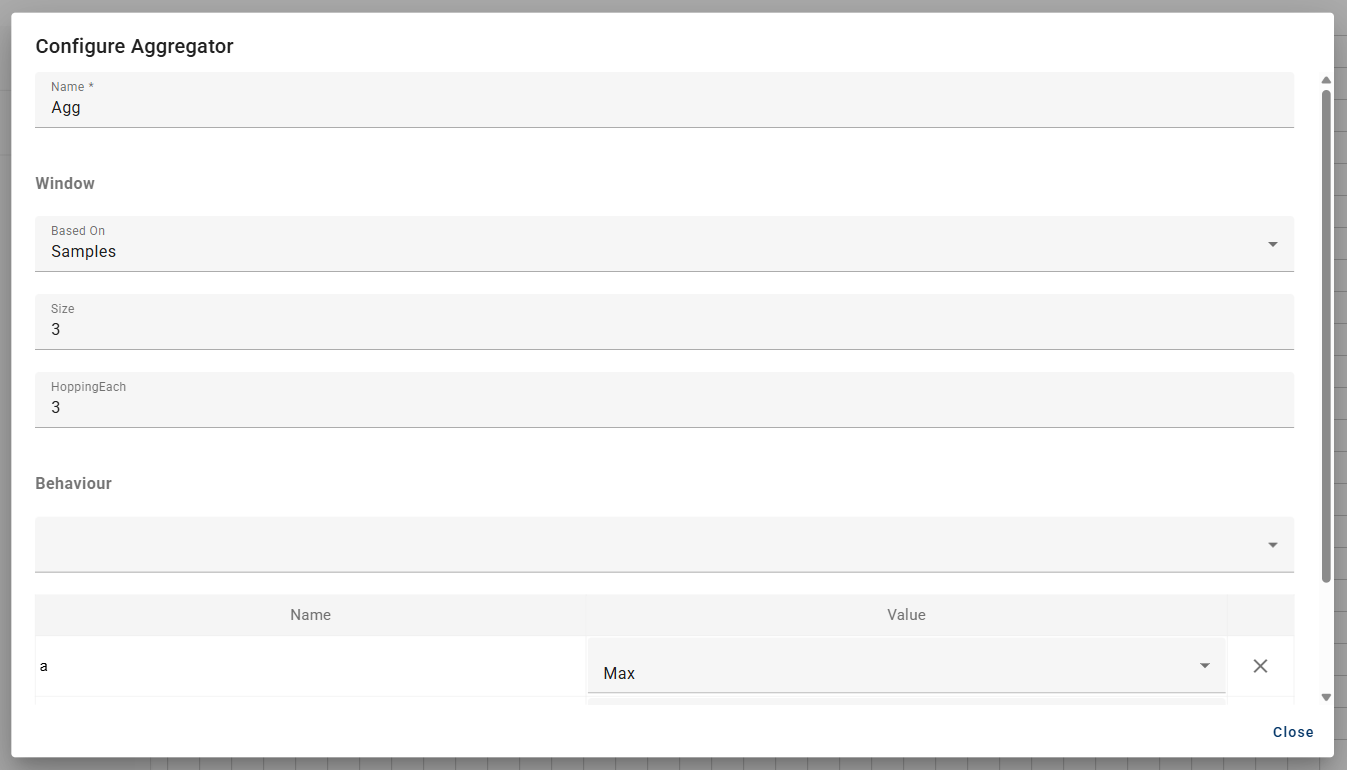
The following example configuration is shown in Figure 2:
"a" is explicitly configured and collected in an array (Value: "Collect") and output.
"b" is explicitly ignored (Value: "Ignore") and omitted from the output message.
Since the timestamp is not configured, the default function is set to first.