ControlCenter
The ControlCenter module is a client that enables the management of RoboGate Edges via the RoboGate ControlCenter.
Once the module is configured, the RoboGate Edge cyclically establishes a connection to the management server for the purpose of fleet management and synchronizes with the central management. In addition to status monitoring (heartbeat), this also allows the synchronization of configuration(s) and centralized software rollouts.
Configuration Parameters
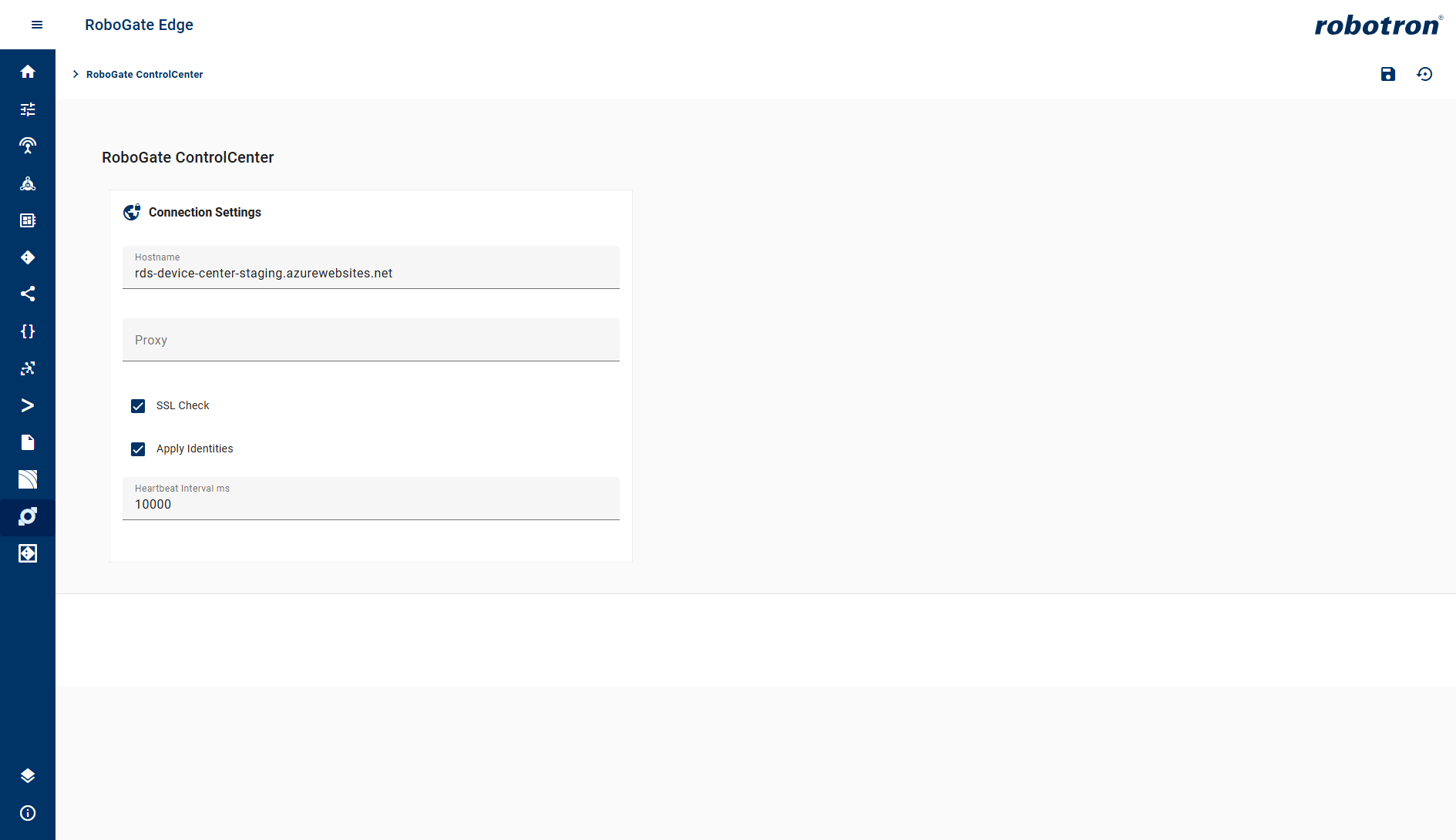
Table 1 describes the parameters for configuring the connection (Connection Settings) of the ControlCenter.
| Parameter | Description |
|---|---|
Hostname | Connection string to the ControlCenter server. It consists of a hostname/URL. No schema is specified; instead, the default is used automatically (currently https). Optionally, a port and a path can also be specified.
|
Proxy | If empty, proxy usage for these connections is disabled. If set, this proxy is used for all connections of the module (ControlCenter server). Format follows the schema: Examples: proxy |
SSL Check | Default: Yes: The server certificate is verified. |
Apply Identities | If enabled, identities that have been configured on the server and are sent to the device in the heartbeat response are written to the corresponding module configuration (e.g. Azure). |
Heartbeat Interval (ms) | Default: 10 sec. Defines the interval at which the RoboGate Edge reports to the ControlCenter server. Should be set as high as possible and as low as necessary depending on requirements. Recommendation: 1–10 minutes. |
Configuration in the UI
The parameters mentioned above are to be defined in the module (Figure 1) and take effect after saving  .
In the "Module State" section, it can be seen whether the module was able to establish a connection to the ControlCenter.