
RFC 1006
The RFC 1006 module allows controllers (Programmable Logic Controllers (PLCs)) to be read cyclically and the values to be forwarded.
The waiting time between read operations can be configured to the millisecond (read interval). The read values can be named individually to enable correct assignment. When a new configuration is applied, ongoing read operations are aborted and new read operations are started with the new configuration. Values from the same controller with the same read interval are read sequentially using Poll Groups and sent in a single message.
Configuration Parameters
PLC
The parameters described in the following table must be defined for the controller.
| Parameter | Description |
|---|---|
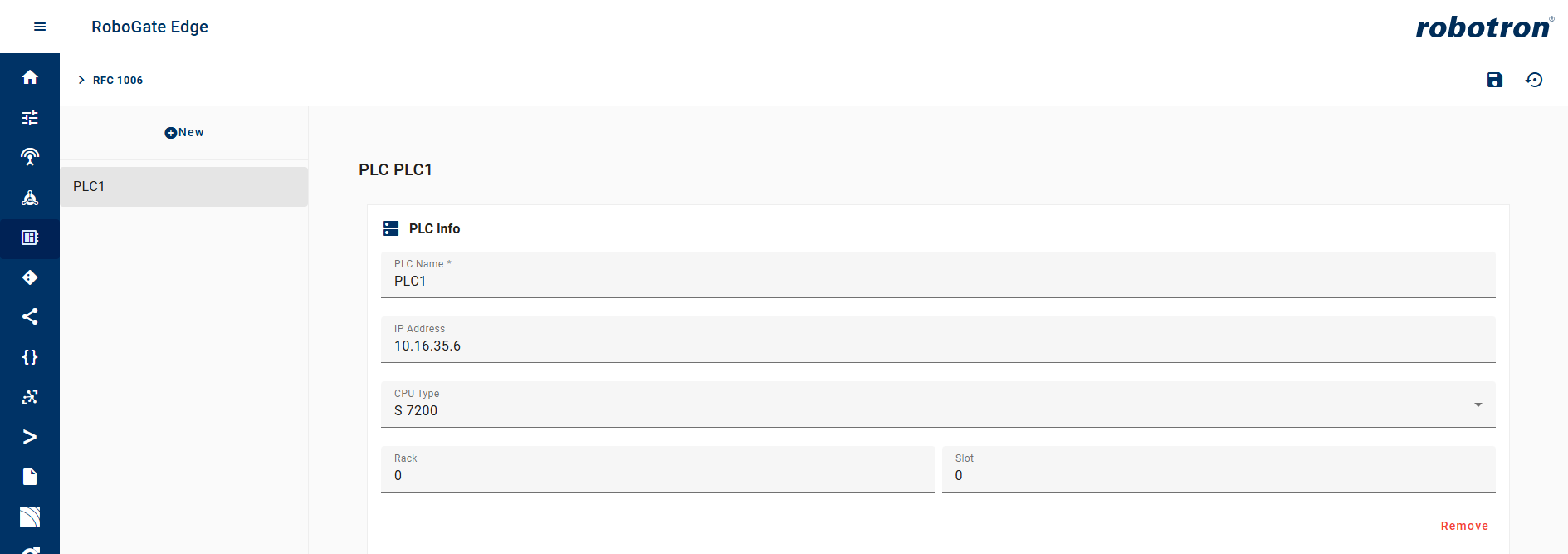
PLC Name | The name of the controller can be freely configured using letters and numbers without special characters. The name represents the name of the data source. It corresponds to the Source in the evaluations. The connection to the RFC module is established via the URL of the server. |
IP Address | IP address of the controller |
CPU Type | A selection of different CPU types is available. |
Rack | Number of the rack. For Siemens controllers, rack "0" is the default for the following types, among others: |
Slot | Position of the controller on the rack. For Siemens controllers, slot "0" is the default for the following types, among others: |
To enable access to a Siemens S7 controller, the "Permit access with PUT/GET communication from remote partner." permission must be granted in the TIA Portal. This setting is located in the project properties under the "Protection" menu item.
Poll Groups
Each Poll Group generates a message (payload type Model). The Model corresponds to a message containing values from multiple data points.
| Parameter | Description |
|---|---|
Poll Group Name | The name can be freely configured using letters and numbers without special characters. This name corresponds to the name of the area to be read. The name is provided under Scope in the evaluations. |
Interval (ms) | Interval in milliseconds specifying the rate at which values are polled. |
Output Topic | Name of the output topic, e.g. RFCpg1. The name can be freely configured using letters and numbers without special characters. |
Field Name | Designation of the value to be read. The name can be freely configured using letters and numbers without special characters. |
Data Type | This value designates the memory area on the controller. The following standard types are available:
|
Data Block | Specification of the data block to be read. |
Start Byte | First byte to be read within the data block. |
Var Type | Data type of the value to be read. The following types can be read:
|
Count | Number of values to be read. If this value is greater than 1, a value array is automatically created when reading. |
Bit | Position of the bit to be read within the byte. Optional, only required if Var Type corresponds to a Bit. Otherwise the value is ignored. |
Subscription Groups
Each Subscription Group generates a message. Configuring Subscription Groups allows reacting to changes in semantically related data points.
| Parameter | Description |
|---|---|
Subscription Group Name | Name of the Subscription Group. This name corresponds to the name of the area to be read. The name can be freely configured using letters and numbers without special characters. |
Publishing Interval (ms) | Interval in milliseconds specifying the rate at which values are polled. |
Republishing Interval (ms) | Interval in milliseconds specifying the rate at which the most recently read values are sent again. |
On Change: | Active: If a change is detected, the changed data point is transmitted together with the most recently read values of the other data points as a Model message. |
On Republish: | Active: During republishing, the data points are sent as a single data model message. |
Output Topic | Name of the output topic, e.g. RFCpgSUB. The name can be freely configured using letters and numbers without special characters. |
Field Name | Designation of the value to be read. The name can be freely configured using letters and numbers without special characters. |
Data Type | This value designates the memory area on the controller. The following standard types are available:
|
Data Block | Specification of the data block to be read. |
Start Byte | First byte to be read within the data block. |
Var Type | Data type of the value to be read. The following types can be read:
|
Count | Number of values to be read. If this value is greater than 1, a value array is automatically created when reading. |
Bit | Position of the bit to be read within the byte. Optional, only required if Var Type corresponds to a Bit. Otherwise the value is ignored. |
Configuration in the UI
The RFC 1006 module can be accessed and configured by selecting the module on the start page or via the left menu bar of the RoboGate Edge UI.
Configuring a PLC
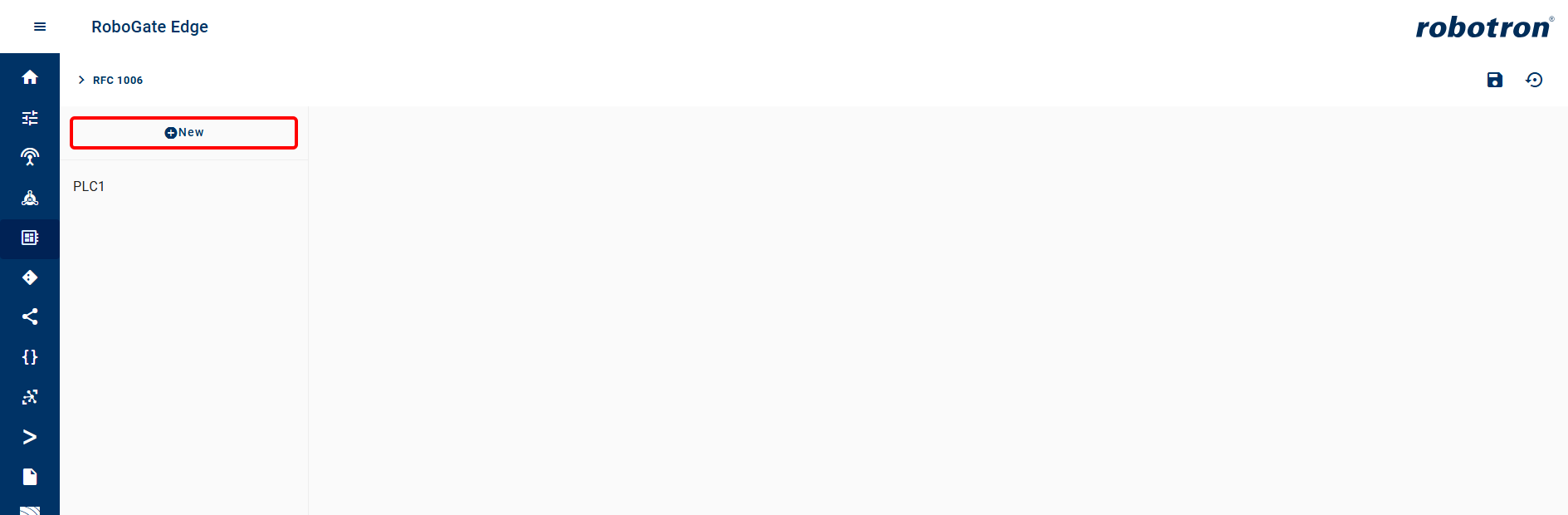
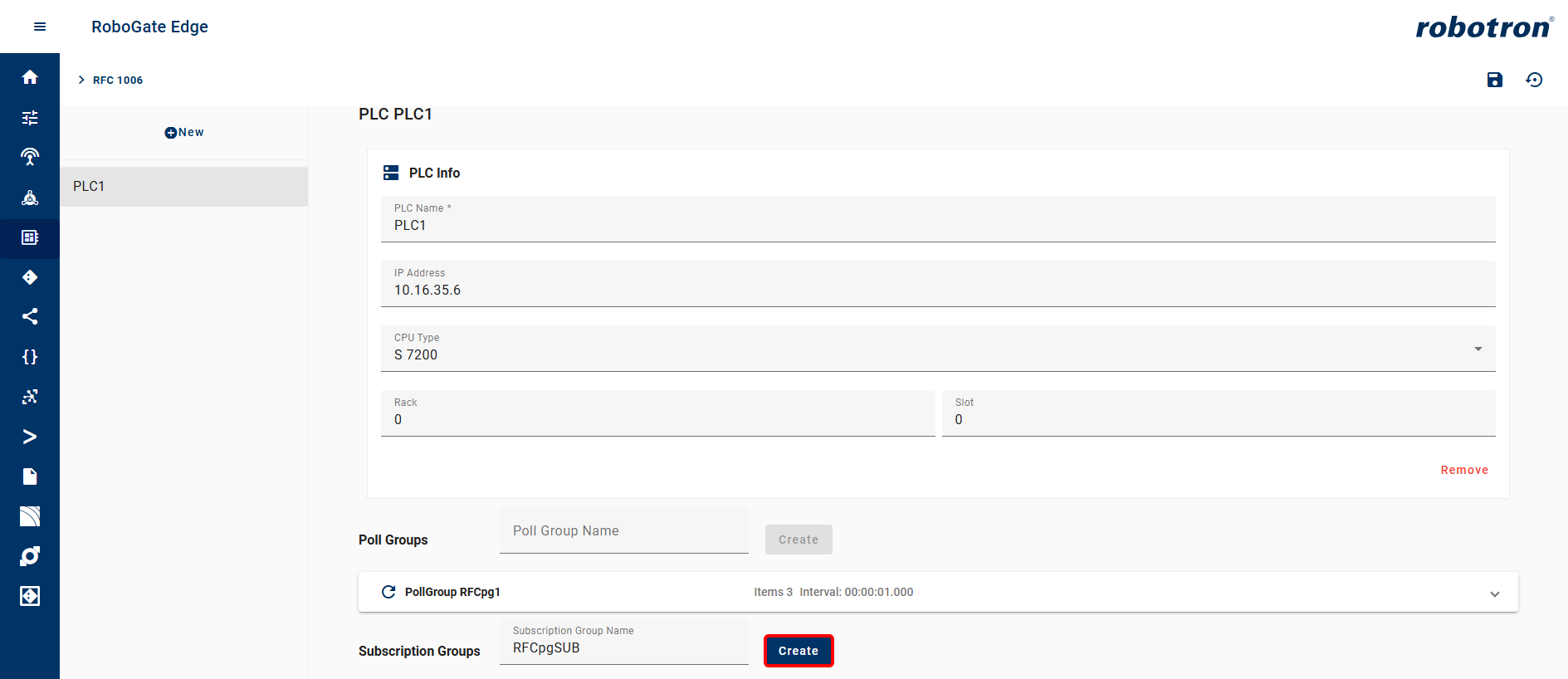
Using  New, a controller can be added and configured with the previously described configuration parameters (Figure 1). The module configuration must be carried out according to requirements.
After the general configuration of the controller has been completed (Figure 2) and saved  , the configuration of the Poll or Subscription Groups can be performed.
In the Module State section at the bottom of the page, you can see whether the module was able to establish a connection to the controller.
Configuring a Group
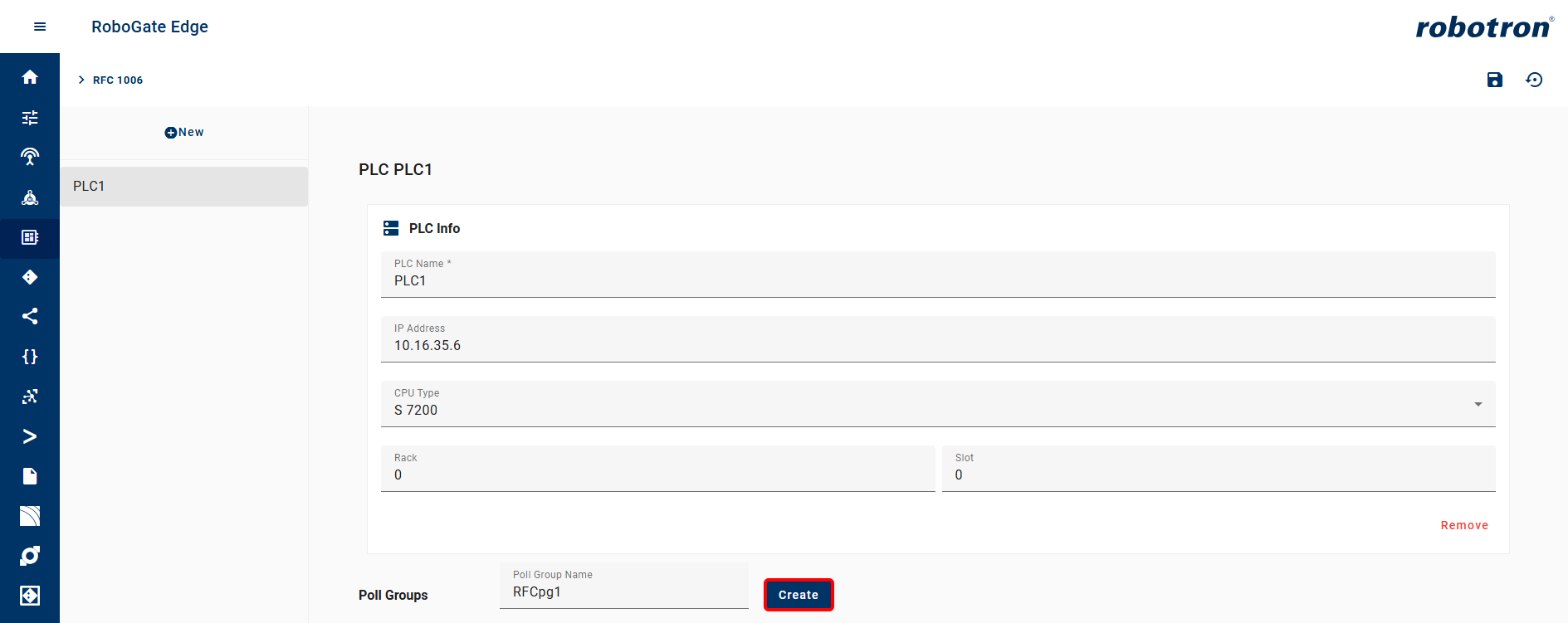
Configuring Poll Groups creates active data queries. The configuration requires specifying a name for the Poll Group, the interval, and the output topic. Clicking "Create" applies the configuration and creates a Poll Group ([img-rfc-newgPollgroup]).
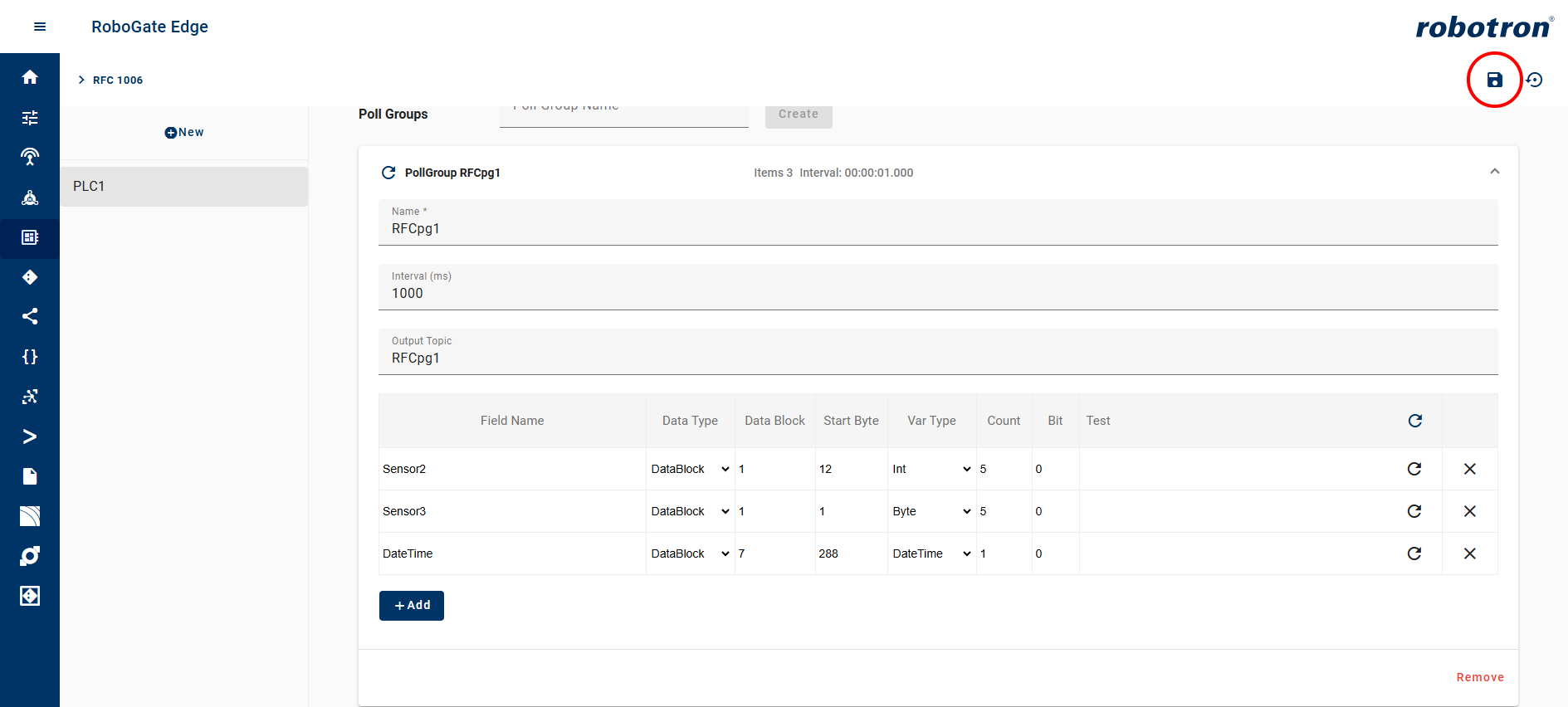
The data blocks to be read along with their properties (see Table 2) can now be configured.
To verify whether the data block in a Poll or Subscription Group has been configured correctly, it can be tested in the "Test" column. The read result is displayed after clicking the arrow  or updated when changes are made. Initially, no values are displayed.
After completing the configuration of the Poll Group of the RFC 1006 module, it must be saved using the save button (Figure 4). By saving the module configuration, it becomes available in RoboGate Edge.
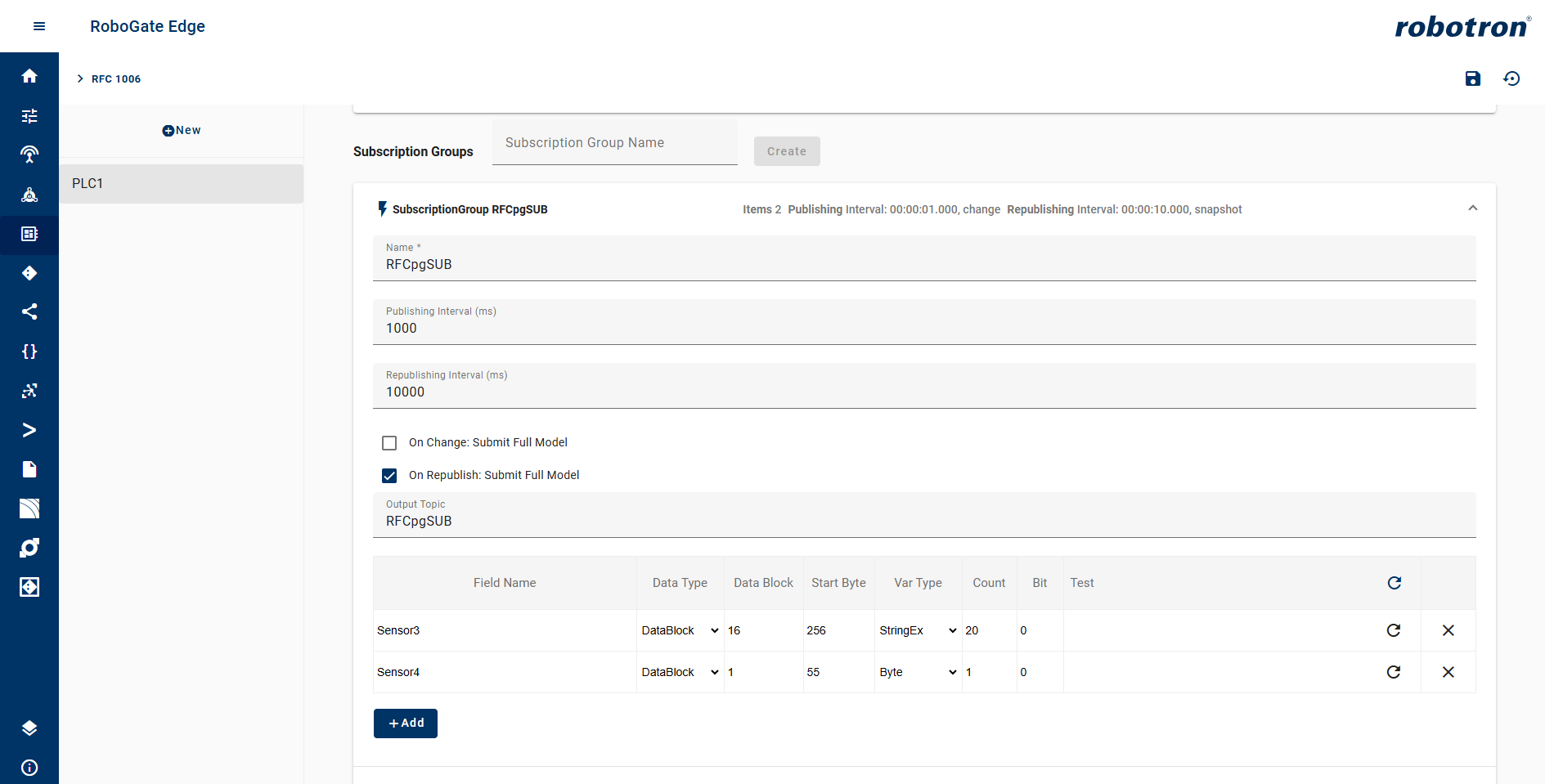
Configuring Subscription Groups allows reacting to changes in semantically related data points. The configuration requires specifying a name for the Subscription Group, which is applied via "Create", creating a group (Figure 5).
The newly created Subscription Group can then be further configured according to your requirements (Figure 6).
After completing the configuration, it is applied by saving in the upper right corner. By saving the complete configuration of the RFC 1006 module, the data is read according to the data model and is available for further data processing.
Deleting a Data Field
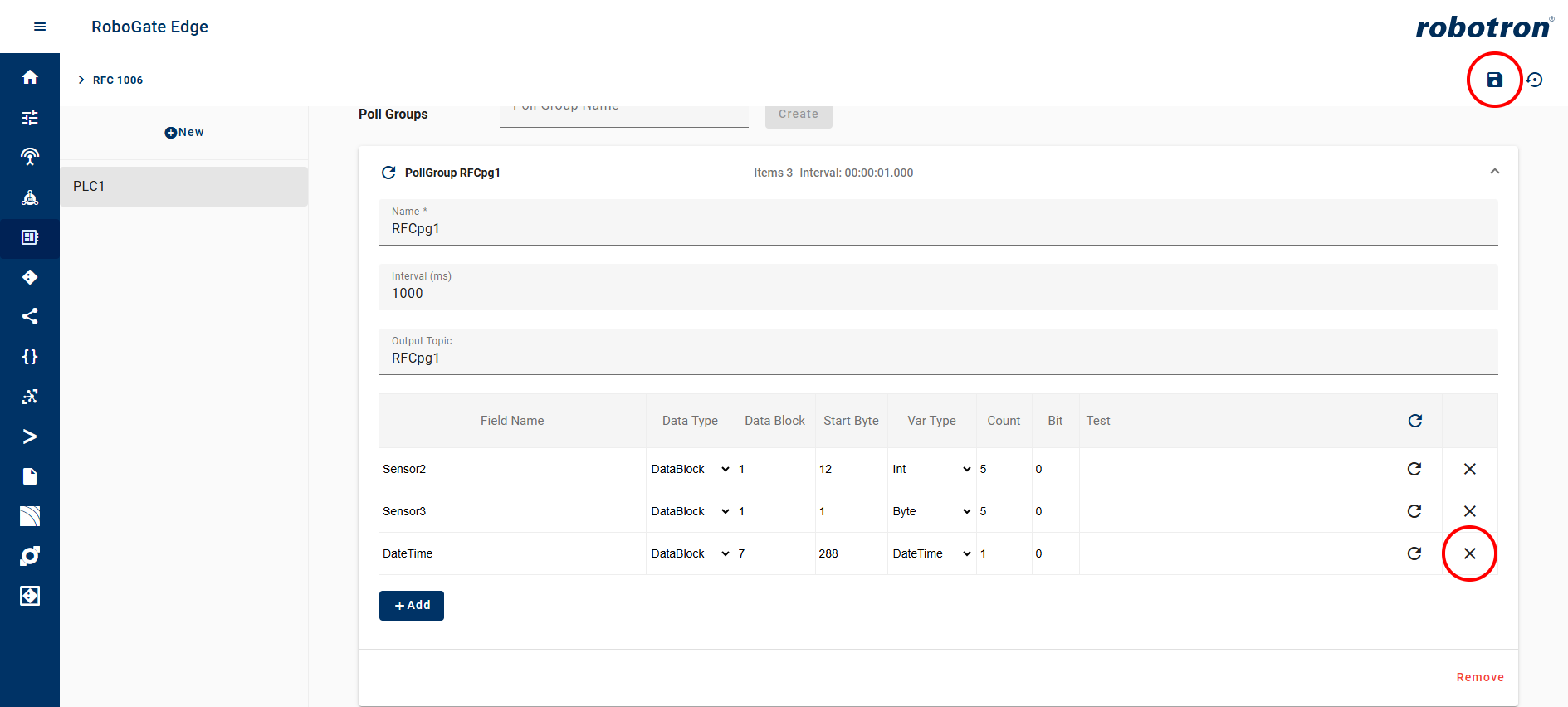
Within the configuration of the RFC 1006 module, data fields of the Subscription and Poll Groups can be deleted. To do this, mark the data field to be deleted and remove it by clicking  . By saving the configuration change, it becomes available in RoboGate Edge (Figure 7).
Deleting a Group
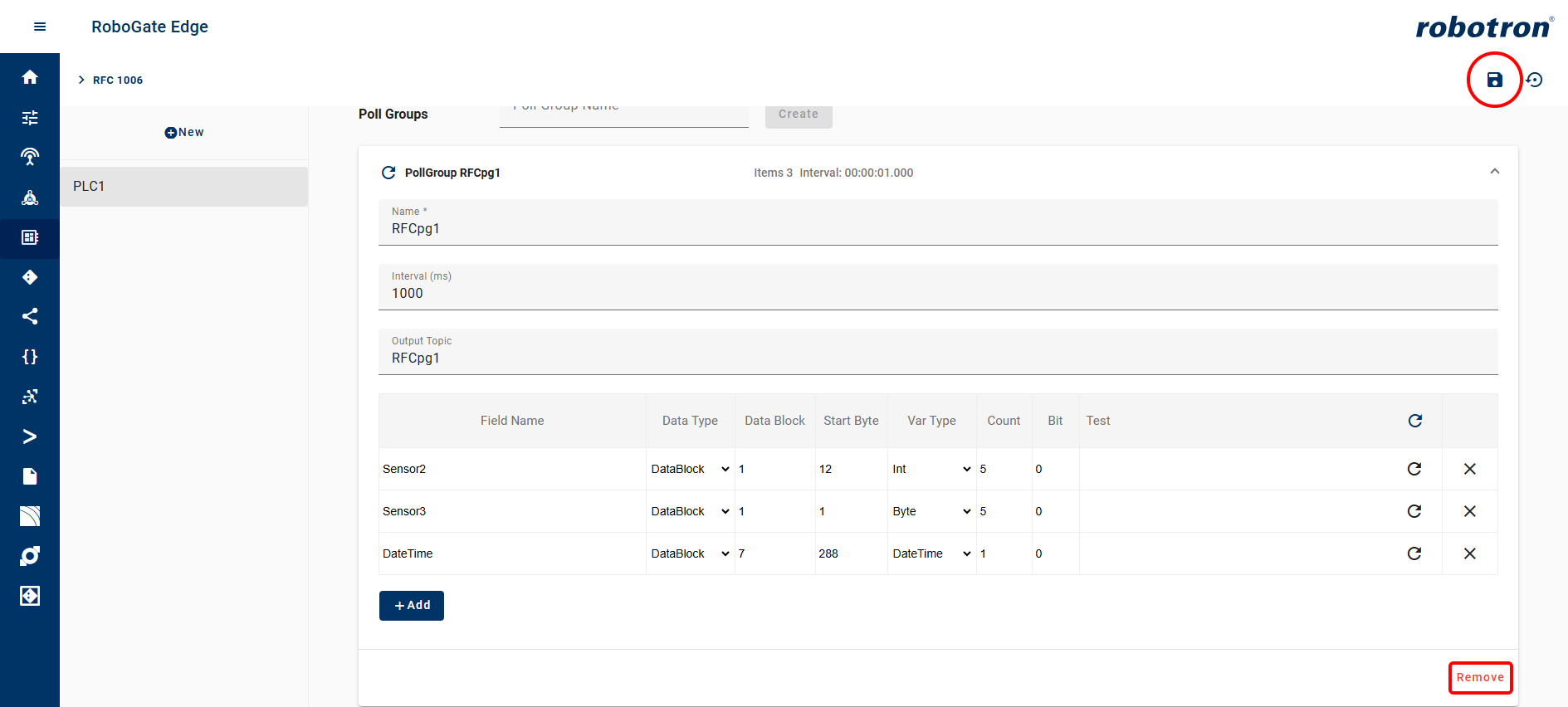
Groups can be deleted entirely. Clicking the "Remove" button deletes the selected group (Figure 8). By saving the complete RFC 1006 configuration, the changes are applied and become available.
Deleting a PLC
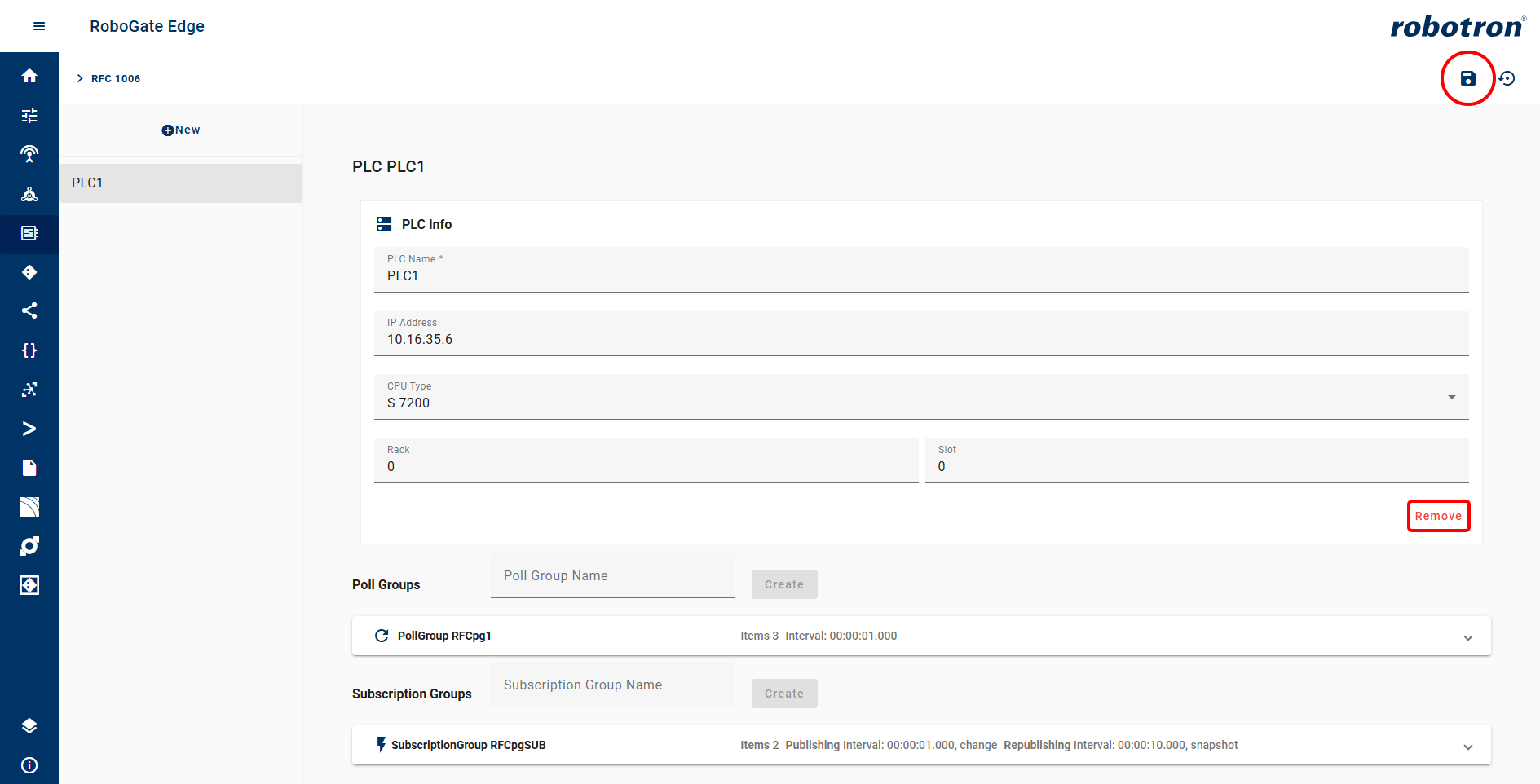
Created controllers can be deleted entirely. To do this, use the "Remove" button within the "PLC Info" section (Figure 9). The change is applied upon saving. The deleted controller is removed from the overview.
Resetting the Configuration
The  button in the horizontal menu bar can be used to reset the complete module configuration to factory settings.
After clicking the button, a confirmation dialog with "Yes" and "No" appears asking whether the operation should really be executed.
This will also delete the entire history on the RoboGate Edge!