RoboGate Edge
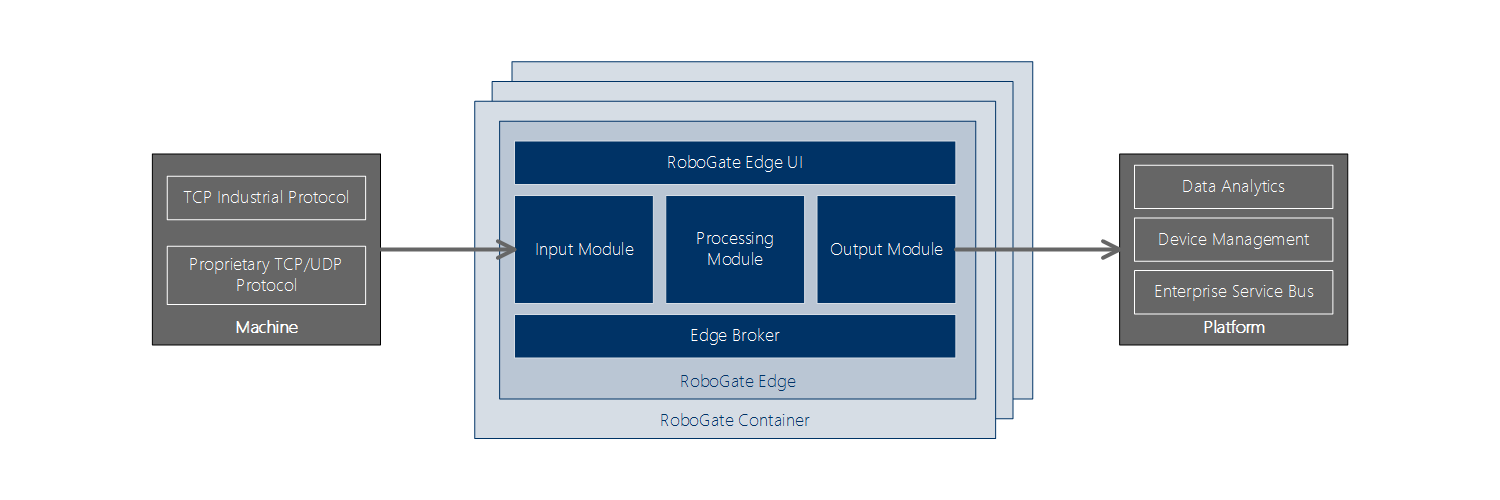
The RoboGate Edge is Robotron’s innovative IoT field gateway solution.
Adapted to modern industrial standards, the RoboGate Edge addresses scenarios and application areas of machine and energy efficiency as well as condition monitoring in production.
The RoboGate Edge is used to receive machine data from controllers by supporting various protocols in conjunction with Ethernet-based communication. It enables preprocessing of data and makes it available for further processing on a target system. Various modules can be implemented and configured for controller-specific communication protocols (e.g. RFC 1006 and OPC UA). The target system is defined in the module configuration. A simple way to configure the system is available via the RoboGate Edge UI.
RoboGate Edge UI
A RoboGate Edge can be administered via the RoboGate Edge UI, a web browser application. It can be used with current versions of the browsers Google Chrome and Microsoft Edge. Internet Explorer and Mozilla Firefox are not supported.
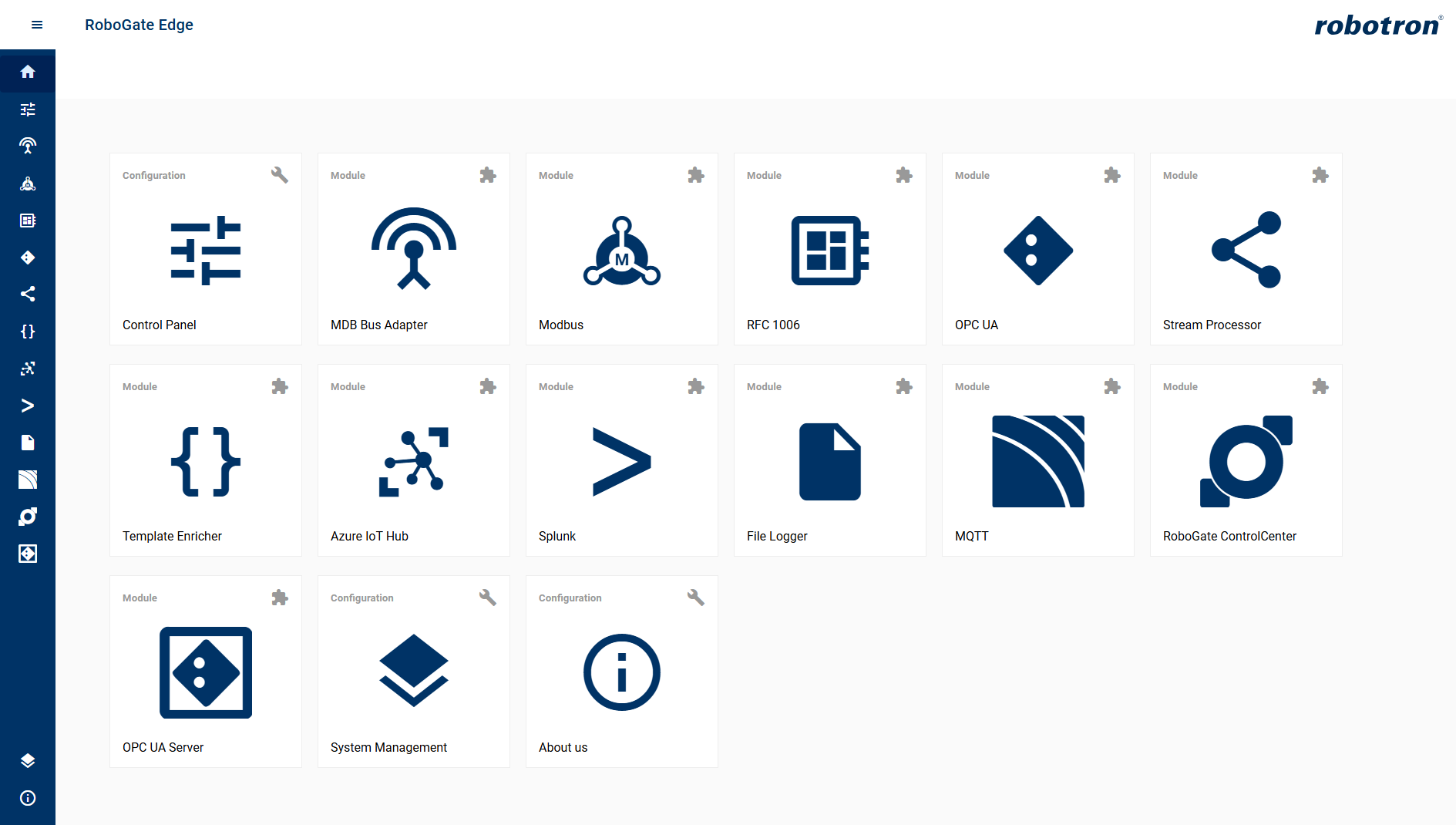
The dashboard (Figure 1) is the home page of the RoboGate Edge UI and provides an overview of all existing modules. Clicking on the respective tile in the dashboard navigates to the selected module. The selection can also be made via the expandable menu bar on the left.
Modules
RoboGate Edge has the modules listed below.
RoboGate Edge Connect refers to the standard bundle of modules delivered. Adding further modules or removing unused modules is possible on request.
Overview
| Module | Description | Edge Connect |
|---|---|---|
Modbus | Reading and writing Slave Modbus modules |
|
OPC UA | OPC UA client for reading an OPC UA server |
|
OPC UA Server | Configuration of an OPC UA server or node tree from EdgeMessages |
|
RFC 1006 | Reading a PLC via ISO on TCP |
|
File Logger | Logging of telemetry data to a file system |
|
Stream Processor | Data processing |
|
Template Enricher | Data transformation |
|
Azure IoT Hub | Transferring data to the Azure IoT Hub |
|
MQTT | Transferring and receiving data |
|
Splunk | Transferring data to a Splunk server |
|
ControlCenter | Connection to the ControlCenter |
|
Control Panel | Overview of status and network |
|
System Management | Overview of logs and metrics of configured modules |
|
About Us | Information about the RoboGate Edge software |
|


Topics
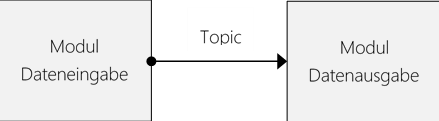
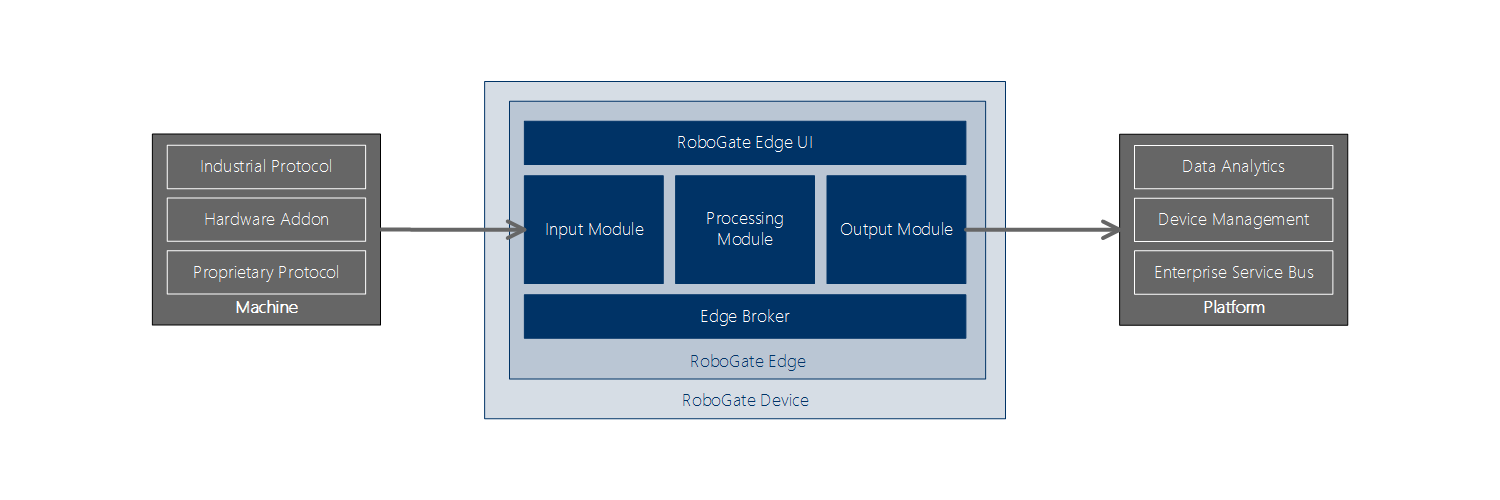
The modules use topics to capture data and map the connection between data input (Input) and data output (Output) (Figure 2):
Input modules publish data under a specific topic.
Output modules can subscribe to these topics to receive the data.
Publishing and subscribing to topics must be configured in the respective modules of the RoboGate Edge.
Example: Modbus → Azure IoT Hub
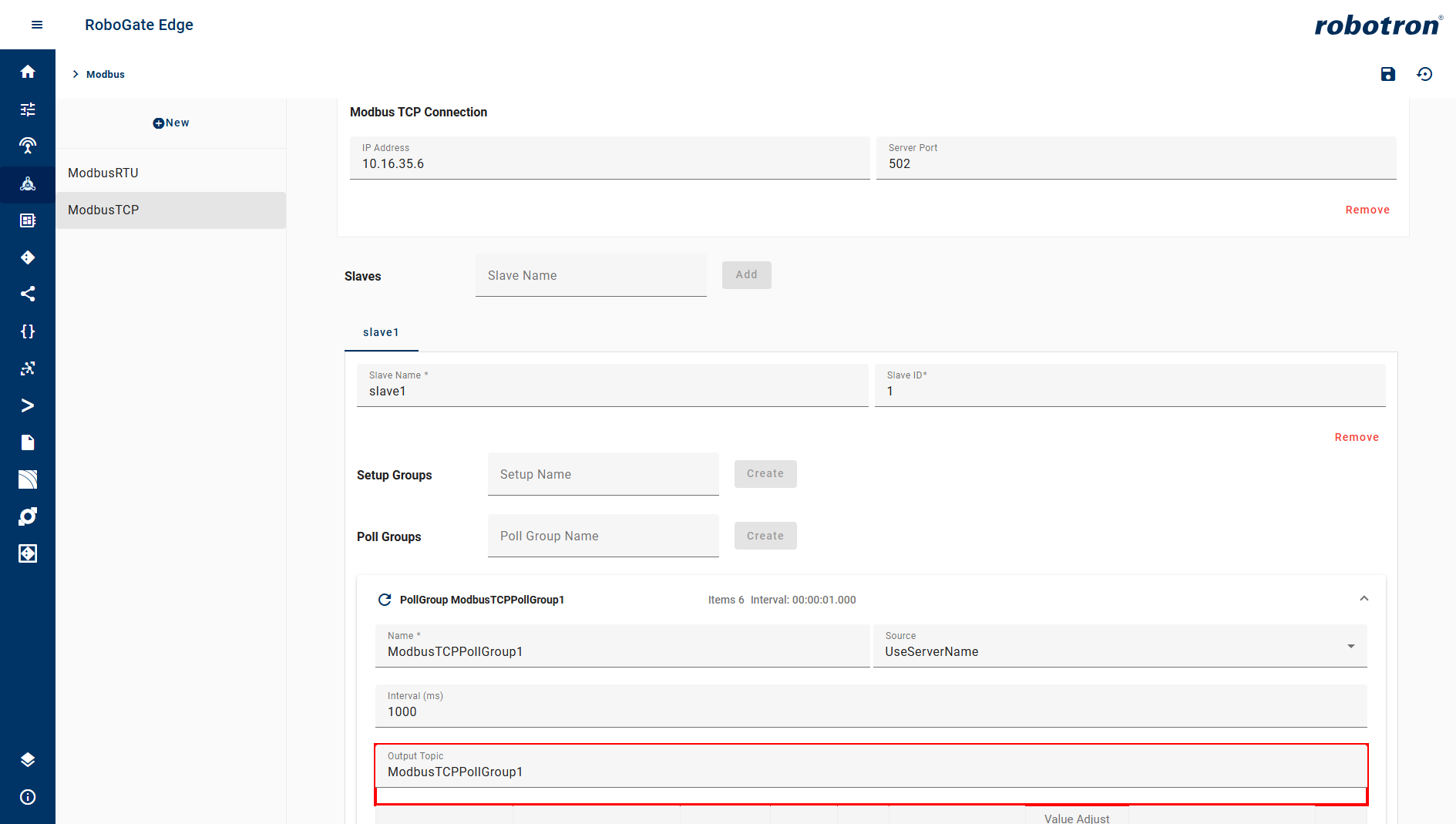
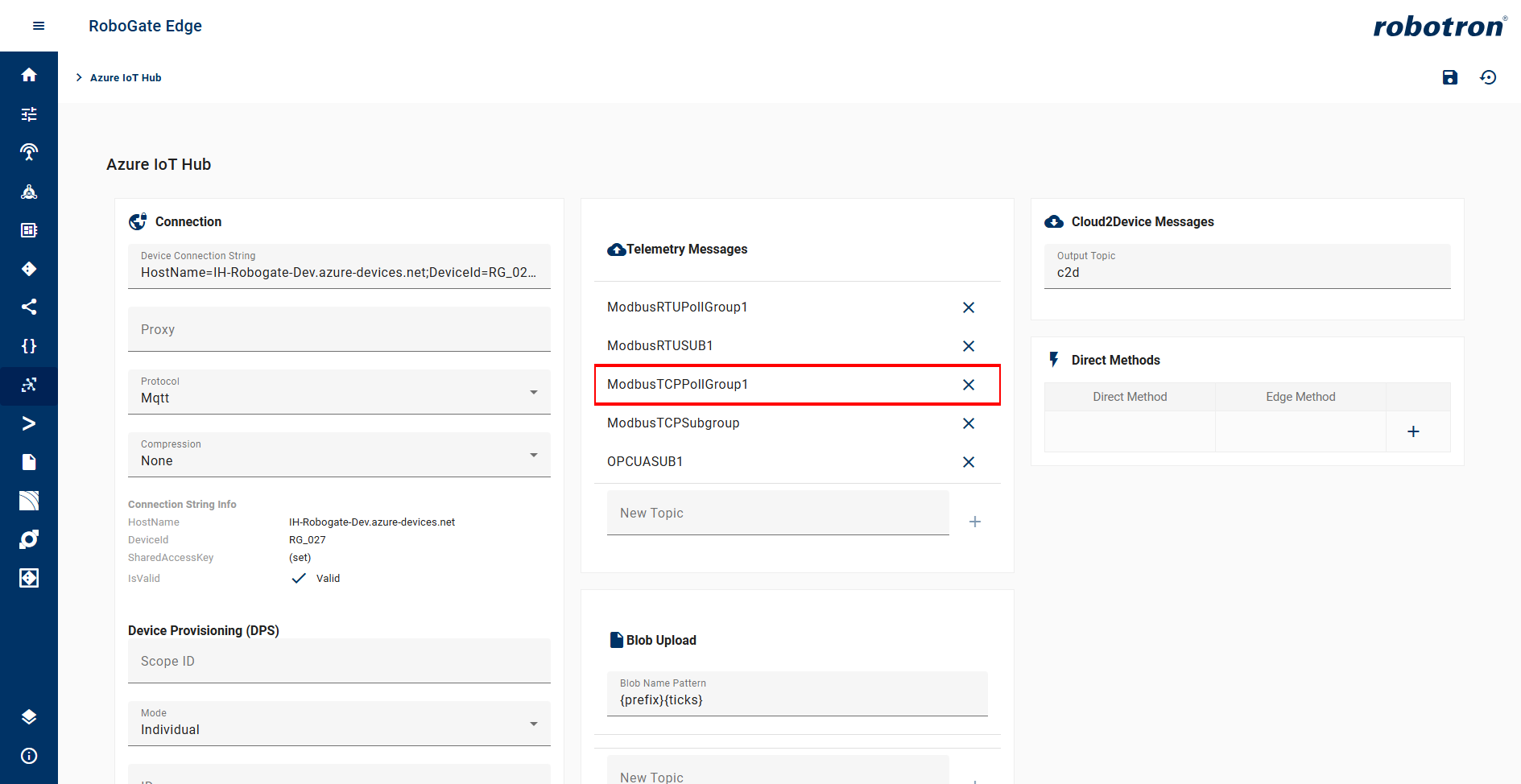
To subscribe to data from the Modbus module in the Azure IoT Hub, the topic must first be configured in the Modbus module. In this example, the Input module Modbus publishes data under the output topic ModbusTCPPollGroup1 (Figure 3). The Output module Azure IoT Hub can now subscribe to this topic (Figure 4). Through this configuration, the Azure IoT Hub module receives all messages stored under the topic ModbusTCPPollGroup1 in the Modbus module.
Messages
Each message contains metadata that enables assignment to the data source in analysis systems.
Source: Name of the data source
Scope: Name of the read area of the data source
Source Type: Type of the data source
The message payloads (usable message contents) are transmitted serialized as a JSON file. The following payload types are available:
| Property | Value |
|---|---|
timestamp | <UTC ISO Timestamp> |
<datapointname1> | <datapointvalue1> |
<datapointnameN> | <datapointvalueN> |
| Property | Value |
|---|---|
timestamp | <UTC ISO Timestamp> |
<eventName> | <value> |
Variants
The RoboGate Edge is a software application and is available in two variants:
on a physical device, the RoboGate Device
in a virtual, isolated container, the RoboGate Container
Both variants can provide all modules, with the exception of the Control Panel module, which is intended only for the RoboGate Edge on the RoboGate Device.
RoboGate Device
RoboGate Devices are hardware devices available with pre-installed RoboGate Edge. Robotron offers selected hardware variants from Turck and MOXA into which the RoboGate Edge is fully integrated. For these hardware variants, no separate software management or system configuration management is required.
Alternatively, a custom hardware device can also be used. For this case, a Debian package and an MSI installation package are available. However, it should be noted that the operating systems of custom devices cannot be managed (e.g. during a software update).
RoboGate Container
In some use cases it is not practical to install separate hardware. For these cases, isolated and virtual container instances of the RoboGate Edge can also be started on central hardware. A prerequisite for this is an OCI-based container platform such as Docker or Podman.