
Operation
The web interface is available at http://<host-ip>; by default.
Default login:
Username: ccadmin
Password: $ccpasswd123
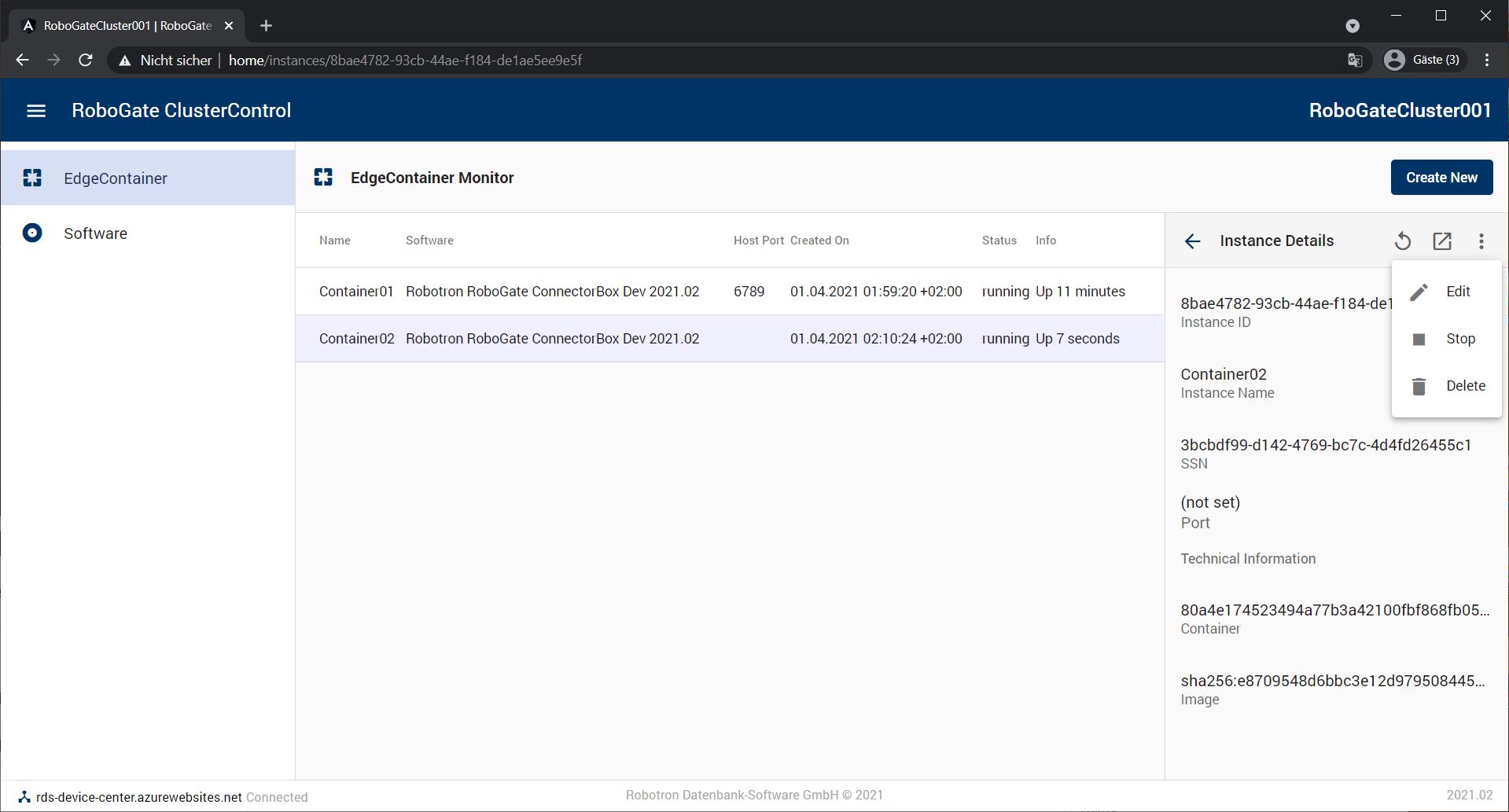
EdgeContainer
This component allows the complete lifecycle of RoboGate containers to be monitored and managed.
Creating an EdgeContainer
To create a new RoboGate container (EdgeContainer), click the "Create New" button. You can then define a unique name, the software version, and optionally the host port.
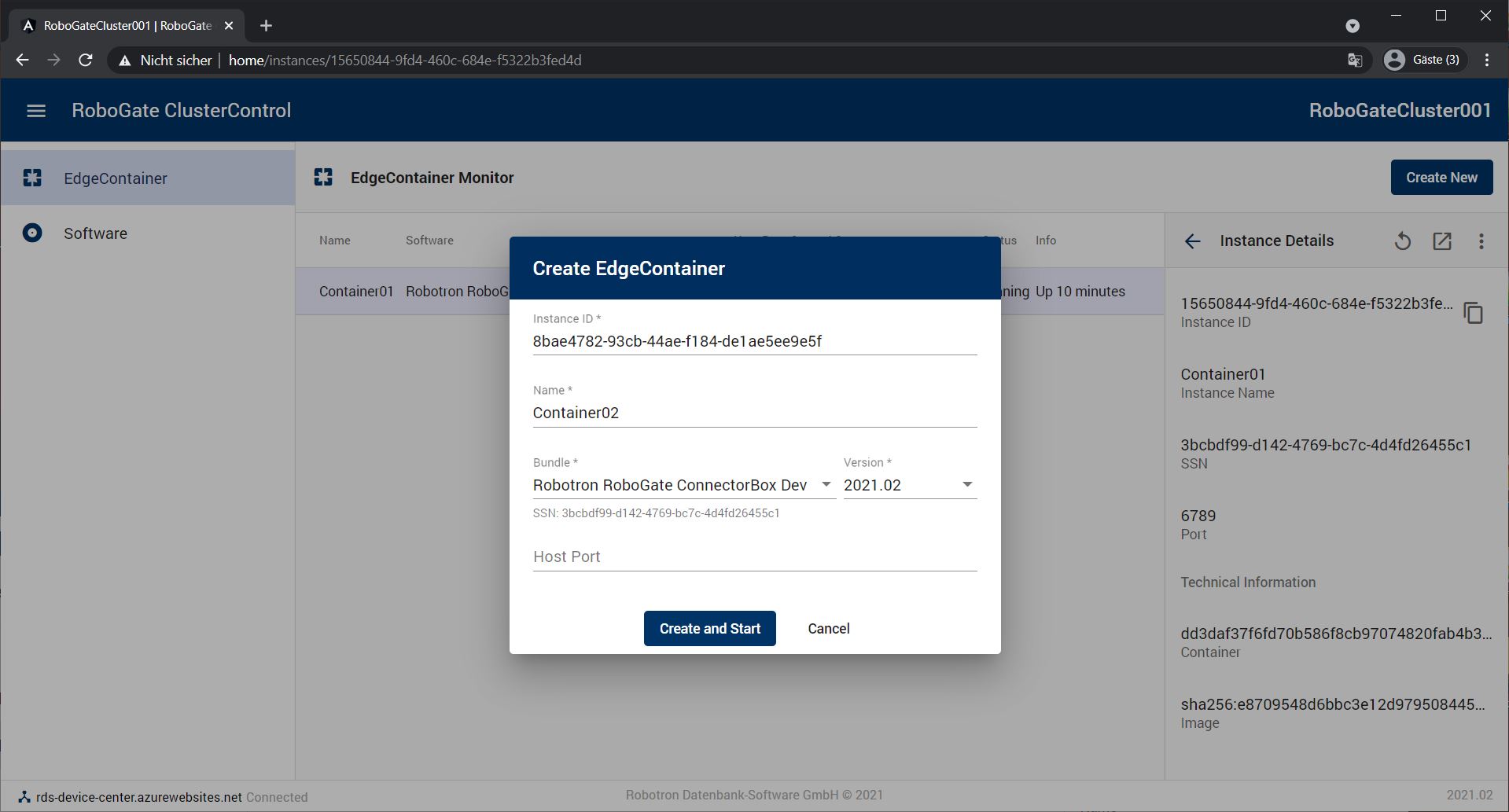
Before a new instance is started, the following points are checked:
If the name is already in use, a name suffix is automatically appended.
If the port is already occupied, the next available port is automatically selected.
If no port is defined, the web interface is only accessible via the ContainerManager, not via a dedicated port (see below).
Managing EdgeContainers
The buttons give you full control over the lifecycle of a RoboGate container.
| Button | Function |
|---|---|
| Restart container |
| Start container |
| Open web interface via ContainerManager (proxy) |
| Edit container |
| Stop container |
| Delete container |


RoboGate Edge Web Interface
There are two ways to access the web interface of the RoboGate container:
Option A: Access via Port
If you specify a Host Port in the EdgeContainer configuration, you can access the web interface at http://<host>:<port>;.
Option B: Access via ContainerManager (Proxy)
The RoboGate ContainerManager can act as a proxy for centralized access to the web interfaces of the individual RoboGate Edges. This option has the following advantages:
You can access the instances by name:
http://<host>/instances/<container_name>/control/You only need to create one SSL certificate for the ContainerManager service to secure access to all web interfaces (ContainerManager AND RoboGate Edges).
ContainerManager:
https://<host>;EdgeGateway
https://<host>/instances/<container_name>/control/
Software
This component is responsible for providing an overview of the available software versions and importing new ones.
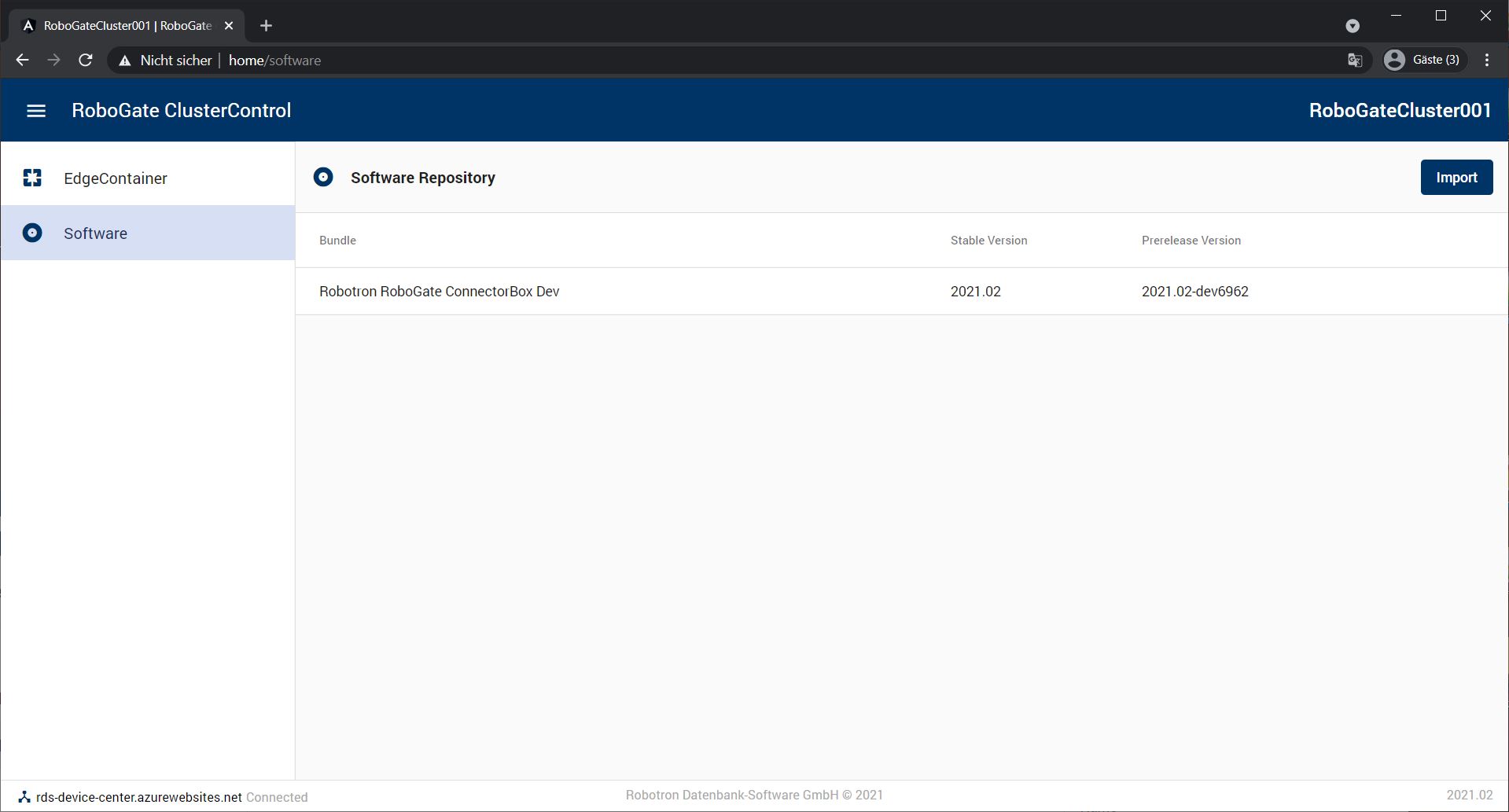
Importing RoboGate Edge Versions
Click the blue Import button and select a provided *.rsb file containing a new EdgeContainer version.
Important | Update types other than container images are rejected! Before the import, it is checked whether the update contains a container image. If not, an error message is displayed. |
Updating an EdgeContainer
A software update can be performed individually for each EdgeContainer by editing the EdgeContainer configuration and setting the desired version.